Can You Program a Car to a Garage Door Opener Remote
Yes, you can program a car to a garage door opener remote in most modern vehicles. This guide walks you through the step-by-step process for HomeLink, universal remotes, and built-in car systems. You will learn about vehicle compatibility, common programming errors, and how to fix signal issues quickly and safely.
Have you ever pulled into your driveway and wished you could open your garage door without digging through your pockets for a remote? Can you program a car to a garage door opener remote? The short answer is yes. Most modern vehicles come with built-in systems or support universal remotes that let you control your garage door right from your car. This feature is incredibly convenient, especially when you are carrying groceries, walking a dog, or just want a seamless arrival experience.
Programming your car to a garage door opener is not as complicated as it sounds. Whether your vehicle has a HomeLink system, a universal remote built into the mirror, or a digital interface on the dashboard, the process follows a similar pattern. In this guide, we will walk you through every method, troubleshoot common problems, and share tips that save time and frustration. By the end, you will feel confident setting up your garage door opener in your car.
Before you start, it helps to understand the basic technology behind these systems. Garage door openers use either a fixed code or a rolling code for security. Rolling codes change every time you press the button, which prevents someone from copying your signal. Your car’s programming system needs to sync with this rolling code for the connection to work. This is why following the exact steps matters, and why we have broken each method down in detail below.
Key Takeaways
- Universal Compatibility: Most cars built after 2000 support garage door opener programming through HomeLink or universal remote systems.
- Three Main Methods: You can program using HomeLink, a universal remote, or your car’s built-in infotainment system depending on your vehicle.
- Rolling Code Technology: Modern garage doors use rolling codes that require a specific pairing process for security purposes.
- Common Issues Are Fixable: Signal interference, dead batteries, and incorrect programming steps cause most problems and are easy to resolve.
- Check Your Owner Manual: Always refer to your vehicle manual first, as programming steps vary by car brand and model.
- Safety First: Never program your garage door opener while driving or in an unsafe location.
📑 Table of Contents
- Understanding Garage Door Opener Compatibility with Cars
- How to Program Your Car Using HomeLink
- Programming with a Universal Remote
- Programming Through Your Car’s Infotainment System
- Common Mistakes When Programming a Garage Door Opener in a Car
- Safety Tips for Using Your Car Garage Door Opener
- Comparison: HomeLink vs Universal Remote vs Infotainment System
- Quick Tips for Successful Garage Door Programming
- Conclusion
Understanding Garage Door Opener Compatibility with Cars
Not every car and garage door opener pair up automatically. Vehicle compatibility depends on the year, make, and model of your car, as well as the type of garage door system you have at home. Most vehicles manufactured after 2000 include some form of garage door control. Older cars may need a universal remote installed aftermarket.
Here are the three main types of car-integrated garage door systems you might encounter:
- HomeLink Systems: Found in many luxury and mid-range vehicles, HomeLink is a built-in wireless control system embedded in the car’s rearview mirror or console. It works with most garage door openers and is the most common factory-installed option.
- Universal Remote Controls: These are aftermarket devices that plug into your car’s cigarette lighter or attach to the visor. Brands like Universal Electronics and Linear make popular models that work with nearly all garage door brands.
- Infotainment and App-Based Systems: Newer cars from brands like Tesla, BMW, and Ford connect to garage doors through their touchscreen systems or companion apps. These systems often use Wi-Fi or Bluetooth to communicate with your garage door opener.
How to Check If Your Car Supports Garage Door Programming
The easiest way to find out if your car supports garage door programming is to look for a HomeLink button on your visor or console. It usually looks like a small rectangle with a garage door icon. If you do not see one, check your vehicle owner manual for references to garage door control. You can also search online for your specific car model and year along with the term “garage door programming” to confirm compatibility.
If your car does not have a built-in system, do not worry. You can still add garage door control using a universal remote. These devices are affordable and install in minutes. Some models even integrate with your car’s existing remote start or keyless entry system for a seamless experience.
How to Program Your Car Using HomeLink
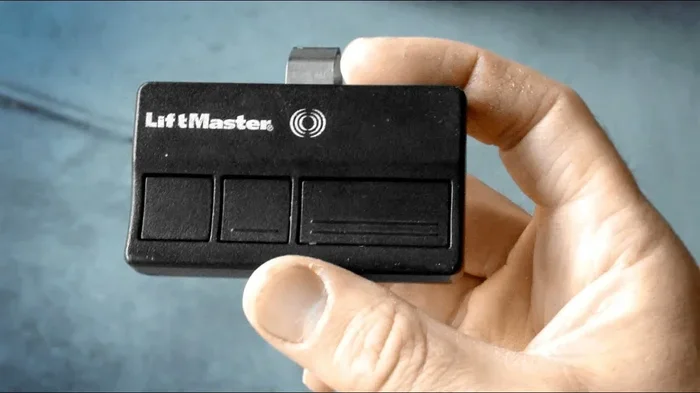
HomeLink is the most popular built-in system for garage door control in cars. It is reliable, easy to use, and works with almost all garage door brands including Chamberlain, LiftMaster, Genie, and Craftsman. Here is how to set it up step by step.
Step-by-Step HomeLink Programming Guide
Follow these steps to program your HomeLink system to your garage door opener:
- Park your car in front of the garage door with a clear line of sight to the opener unit on the ceiling.
- Locate the HomeLink buttons on your visor or console. You will typically see three buttons labeled 1, 2, and 3.
- Press and hold the button you want to use for your garage door. Hold it until the HomeLink indicator light starts flashing. This usually takes about 20 seconds.
- Go to your garage door opener and locate the “Learn” or “Smart” button on the motor unit. Press it once. The indicator light on the opener will start blinking.
- Return to your car and press and hold the same HomeLink button again for two seconds, then release. The indicator light should blink slowly and then stay solid.
- Test the connection by pressing the HomeLink button. Your garage door should open or close.
If the light on the HomeLink unit blinks rapidly and then turns off, you may need to repeat the process. Some older garage door openers use a fixed code, which requires a different approach. In that case, you may need to use a ladder to access the opener unit and set it to “learn” mode first.
Troubleshooting HomeLink Programming Issues
HomeLink programming does not always work on the first try. Here are common issues and how to fix them:
- Indicator light does not flash: Your car battery may be low. Try jumping the car or waiting a few minutes and retrying.
- Garage door does not respond: Make sure you are within range of the garage door opener motor. Standing too far away can cause signal loss.
- Light blinks but door does not move: The rolling code may not have synced properly. Repeat the entire process from step one.
- Interference from other devices: Other garage door openers, security cameras, or even signal interference from nearby electronics can disrupt the pairing. Try again with no other remotes nearby.
One thing to keep in mind is that your key fob and HomeLink system operate independently. If your key fob stops working, it does not mean your HomeLink will stop working too. They use different frequencies and separate connections. However, if you are having trouble with your key fob, you might want to check our article on Can You Still Start a Car Without Key Fob for helpful troubleshooting tips.
Programming with a Universal Remote
If your car does not have a HomeLink system, a universal remote is your best option. These devices are widely available at auto parts stores and online for under $50. They work with virtually all garage door brands and can be mounted on your car’s visor or dashboard.
Choosing the Right Universal Remote
When shopping for a universal garage door remote, look for these features:
- Multi-door support: Some remotes can control up to three different garage doors or gates from one device.
- Rolling code compatibility: Make sure the remote supports rolling code technology for modern security.
- Easy programming: Look for remotes with clear instructions and a “learn” button that matches your garage door motor.
- Compact design: A small, lightweight remote fits easily on your visor without obstructing your view.
How to Program a Universal Remote to Your Car
Programming a universal remote follows a similar process to HomeLink, but the steps vary by brand. Here is a general guide:
- Install the remote on your visor using the included clip or adhesive pad.
- Locate the learn button on your garage door motor unit inside the garage.
- Press and hold the learn button until the indicator light blinks.
- Press and hold the remote button you want to assign to your garage door within 30 seconds.
- Release the button when the garage door motor light flashes or you hear a click.
- Test the remote by pressing the button while standing in your car.
Universal remotes are a great backup option and work independently of your car’s built-in systems. They are especially useful for older vehicles that do not have HomeLink or any integrated garage door control. Just keep in mind that a universal remote is another device you need to manage, so it is easy to misplace. Consider where you will mount it for easy access.
Programming Through Your Car’s Infotainment System
Many newer vehicles allow you to control your garage door directly through the infotainment screen or a companion app. This is especially common in electric and hybrid vehicles, where the car’s tech suite is more advanced. Brands like Tesla, Ford, and BMW offer garage door integration through their digital platforms.
Tesla Garage Door Integration
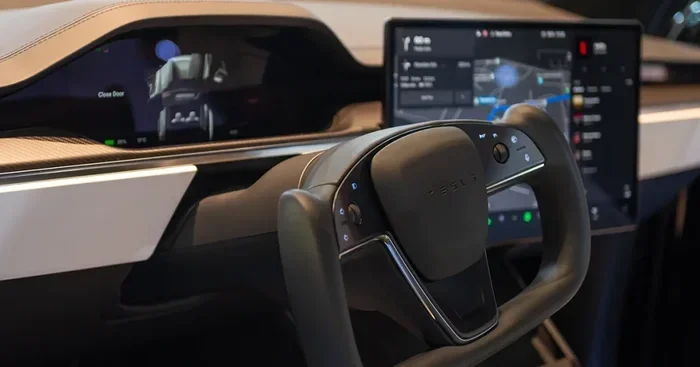
Tesla vehicles can control compatible garage door openers through the Tesla app or the car’s touchscreen. You simply add your garage door to the app, and the car sends a signal to open or close the door. This works over Wi-Fi and does not require any additional hardware in most cases.
Ford and Other Brand Apps
Ford’s SYNC system and similar platforms from other manufacturers let you link your garage door through a smartphone app. The car then communicates with the app to send commands to your garage door opener. The setup process usually involves scanning a QR code on your garage door motor or entering a pairing code manually.
These smart systems are convenient but depend on a stable internet connection. If your Wi-Fi goes down or your phone loses signal, you may not be able to control your garage door through the car. Always keep a backup method like a physical remote or HomeLink system available.
Common Mistakes When Programming a Garage Door Opener in a Car
Even when you follow the instructions carefully, mistakes can happen. Here are the most common errors people make when programming a garage door opener in their car:
- Skipping the learn button step: Many people forget to press the learn button on the garage door motor before trying to pair with the car. This is the most common reason programming fails.
- Standing too far away: You need to be within a few feet of the garage door motor during the pairing process. Going back to your car too early causes signal loss.
- Using the wrong button: If your car has three HomeLink buttons, make sure you are programming the correct one. Label them after setup to avoid confusion later.
- Ignoring battery health: A weak car battery or dead garage door opener battery can prevent successful programming. Always check both before starting.
- Not clearing old codes: If you previously programmed a different remote to the same garage door, the old code may conflict. Clear all existing codes before programming a new one.
Expert Insight: Why Signal Interference Happens
Signal interference is one of the most frustrating issues when programming a garage door opener. It happens when other electronic devices emit signals on the same frequency as your garage door opener. Common culprits include baby monitors, wireless security cameras, neighbor’s garage door openers, and even microwave ovens. To reduce interference, try programming your car’s garage door opener in a different location or at a different time of day when fewer electronic devices are active.
If you are dealing with persistent signal issues, you might also want to consider how other car accessories affect your vehicle’s electronics. For instance, some car owners wonder about tracking devices and their impact on car systems. Check out our article on Can An AirTag Track A Car to learn more about how small electronic devices interact with your vehicle.
Safety Tips for Using Your Car Garage Door Opener
Programming your garage door opener to your car is all about convenience, but safety should always come first. Here are important safety tips to keep in mind:
- Never program while driving: Always park your car in a safe, stationary position before starting the programming process. Distracted driving is dangerous and can lead to accidents.
- Keep the garage door closed when not in use: An open garage door is an invitation for intruders, animals, and debris. Always confirm the door is fully closed after testing.
- Teach all household drivers: Make sure everyone who drives the car knows how to use the garage door opener. This prevents confusion and accidental button presses.
- Test the auto-reverse feature: Place a roll of paper towels on the garage door floor and test that the door reverses when it hits the object. This safety feature should work regardless of how you trigger the door.
- Update your garage door opener firmware: Many modern garage door openers receive software updates that improve security and range. Check with your manufacturer periodically.
One often overlooked safety concern is what to do if you lock your keys inside the car while trying to program or test your garage door opener. It happens more often than you would think, especially when you are focused on a new setup and set your keys down. In that situation, calling for professional help is the safest option. You can find helpful guidance in our article Can You Call 911 To Get Your Keys Out Of Your Car, which covers what to do in these stressful moments.
Comparison: HomeLink vs Universal Remote vs Infotainment System
Choosing the right method depends on your vehicle, budget, and preferences. Here is a quick comparison of the three main options:
| Feature | HomeLink | Universal Remote | Infotainment System |
|---|---|---|---|
| Built into car | Yes (most models) | No (aftermarket) | Yes (newer models) |
| Cost | Free (included) | $20-$50 | Free (included) |
| Compatibility | Most garage doors | Nearly all brands | Brand-specific |
| Setup complexity | Moderate | Easy | Easy |
| Internet required | No | No | Yes (for app-based) |
| Security | Rolling code | Rolling code (most models) | Encrypted connection |
HomeLink remains the most reliable and widely supported option for most car owners. Universal remotes are a great budget-friendly alternative, and infotainment systems offer the most high-tech experience for owners of newer vehicles. Choose the option that best fits your car and your lifestyle.
Quick Tips for Successful Garage Door Programming
Here are some quick tips that make the programming process smoother and faster:
- Replace batteries in both your car remote and garage door opener before starting. Fresh batteries ensure a strong signal during pairing.
- Clear all previous codes from your garage door motor before programming a new device. This prevents code conflicts.
- Work during the day when signal conditions are optimal. Evening or nighttime programming can sometimes be affected by neighboring signals.
- Have your owner manual handy for your specific car model. Programming steps can vary slightly between brands and years.
- Label your HomeLink buttons after programming so you know which button controls which garage door or gate.
- Practice the process once without the garage door closed. This helps you become familiar with the steps before you need them in real time.
Programming your car to a garage door opener remote is one of those small upgrades that makes a big difference in your daily routine. Once set up, you will wonder how you ever managed without it. The process takes only a few minutes, and the convenience lasts for years.
Conclusion
Can you program a car to a garage door opener remote? Absolutely yes. Whether your car has a HomeLink system, a universal remote, or an infotainment-based connection, the process is straightforward and well within reach for most car owners. The key is to follow the correct steps for your specific vehicle and garage door opener, check for compatibility beforehand, and troubleshoot any issues patiently.
Remember to prioritize safety throughout the process. Never program while driving, always test the auto-reverse feature, and keep backup access methods available. With the right setup, you can enjoy the convenience of opening your garage door with a single button press every time you arrive home.
Take a few minutes today to set up your garage door opener in your car. It is one of the simplest and most rewarding car upgrades you can make. Your future self, hands full of groceries and searching for the right remote, will thank you.
Frequently Asked Questions
Can I program my car to multiple garage doors?
Yes, most HomeLink systems and universal remotes support programming multiple garage doors. You can assign each garage door to a different button on your car’s HomeLink unit or universal remote. Just make sure each garage door opener uses a different rolling code and follow the programming steps for each one separately.
Why does my garage door opener not respond after programming?
The most common reason is that the rolling code did not sync properly between the car and the garage door motor. Try clearing all existing codes on the garage door opener and repeat the programming process. Also check that both batteries are fresh and that you are within range of the garage door motor unit.
Do I need any special equipment to program my car to a garage door opener?
In most cases, no special equipment is needed. If your car has a built-in HomeLink system or infotainment garage door feature, everything you need is already in the vehicle. For older cars without built-in support, a universal remote costs between $20 and $50 and is easy to install without any tools.
Is it safe to use a garage door opener from my car?
Yes, it is very safe when used correctly. Modern garage door openers use rolling code technology that changes the access code every time you use it, preventing unauthorized access. Always make sure your garage door auto-reverse feature works properly, and never leave your car running while you are in or near the garage.
Can I program a garage door opener to a rental car?
You can, but the process depends on the rental car’s features. Most modern rental cars include HomeLink or a universal remote. Check the vehicle’s visor or console for a HomeLink button before attempting to program. Keep in mind that you will need to erase the previous owner’s codes before programming your own for security purposes.
How long does it take to program a car to a garage door opener?
The entire process typically takes between five and fifteen minutes. If you are using HomeLink, the actual programming takes about two to three minutes. Universal remotes can be set up in under five minutes. Infotainment-based systems vary by brand but usually take around ten minutes to complete the initial setup through the app or touchscreen.