How Do I Turn On Forward Collision Avoidance Assist
Forward Collision Avoidance Assist is a smart safety feature that helps you avoid front-end crashes. Turning it on is simple, but the exact steps depend on your car’s make and model. In this guide, you will learn the step-by-step process, common settings, and expert tips to get the most out of this life-saving technology.
Modern cars are smarter than ever. They come packed with safety features designed to keep you and your passengers safe on the road. One of the most important of these is Forward Collision Avoidance Assist. This system uses sensors and cameras to detect potential crashes before they happen. It can warn you, pre-charge your brakes, or even apply them automatically. If you have never used it, you might wonder how to turn it on. The good news is that the process is usually straightforward. In this guide, we will walk you through everything you need to know.
Whether you drive a sedan, SUV, or truck, your vehicle likely has this feature. But finding the right setting can feel confusing at first. That is why we created this complete guide. We will cover the basics, the step-by-step activation process, and expert tips to help you get the best performance from your system. Let us dive in and make sure your safety features are working for you.
Key Takeaways
- Easy Activation: Most vehicles let you turn on Forward Collision Avoidance Assist through the steering wheel controls or the infotainment screen.
- Model-Specific Steps: The process varies by brand, so always check your owner’s manual for the exact method.
- Multiple Sensitivity Levels: You can usually adjust how early or aggressively the system activates.
- Works with Other Safety Features: This system often pairs with automatic emergency braking and radar-based sensors.
- Regular Maintenance Matters: Keeping sensors clean ensures the system works reliably every time.
- Not a Replacement for Safe Driving: This is a driver-assist feature, not a fully autonomous system.
📑 Table of Contents
- What Is Forward Collision Avoidance Assist?
- How to Turn On Forward Collision Avoidance Assist
- Common Settings and Sensitivity Options
- Quick Tips for Getting the Best Results
- Common Mistakes to Avoid
- How Forward Collision Avoidance Assist Compares to Other Safety Features
- Troubleshooting: What to Do When It Does Not Work
- Final Thoughts
What Is Forward Collision Avoidance Assist?
Before we get into the how-to, let us understand what this feature actually does. Forward Collision Avoidance Assist is an active safety system. It monitors the road ahead using radar, cameras, or both. When it detects a potential collision with a vehicle or object in front of you, it springs into action.
Here is how it typically works:
- Detection: The system scans the road ahead constantly.
- Warning: It alerts you with visual or audible signals if a crash seems likely.
- Pre-Charging: It prepares your brakes for maximum stopping power.
- Automatic Braking: If you do not react, it applies the brakes on its own.
This feature is part of a broader category called Advanced Driver Assistance Systems, or ADAS. Other related features include automatic emergency braking and forward collision warning. Together, these technologies form a strong defense against front-end collisions.
Why This Feature Matters
Front-end crashes are among the most common types of accidents on the road. According to safety organizations, collision avoidance systems can significantly reduce crash rates. They give you an extra layer of protection, especially in heavy traffic or bad weather. This is not just a luxury feature. It is a genuine life-saver.
How to Turn On Forward Collision Avoidance Assist
Now let us get to the main question. How do you actually turn on Forward Collision Avoidance Assist? The answer depends on your vehicle. Different brands use different methods. Below, we will cover the most common approaches.
Method 1: Steering Wheel Controls
Many cars let you activate safety features directly from the steering wheel. Look for a button labeled with a car and a collision icon. It might also say “FCA” or “Collision Avoidance.” Press and hold this button for a few seconds. Your instrument cluster should display a confirmation message.
For example, in Hyundai and Kia vehicles, you can find this button on the left side of the steering wheel. In Toyota models, it is often near the cruise control stalks. Always glance at your dashboard after pressing the button to confirm the system is active.
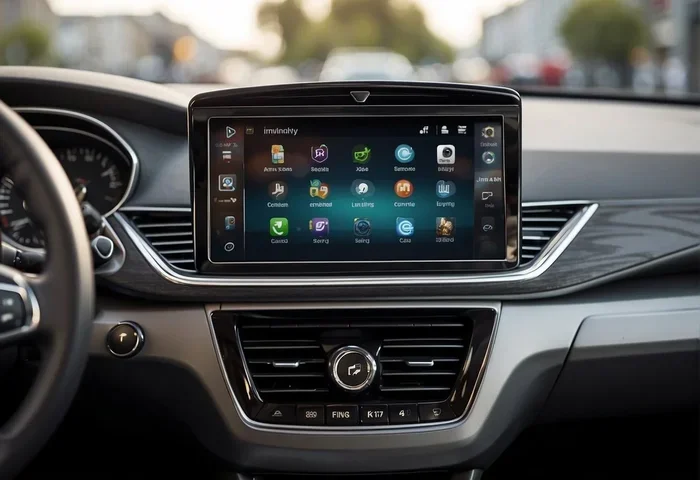
Method 2: Infotainment Screen
Some vehicles require you to use the touchscreen display. Here is the general process:
- Press the “Settings” button on your infotainment screen.
- Navigate to the “Driver Assistance” or “Safety” menu.
- Look for “Forward Collision Avoidance” or a similar option.
- Toggle the switch to turn the system on.
- Adjust sensitivity if your car offers that option.
This method is common in newer vehicles from brands like Ford, Chevrolet, and BMW. The exact menu names may vary, but the path is usually similar.
Method 3: Automatic Activation
Here is something many drivers do not know. Some vehicles turn on Forward Collision Avoidance Assist automatically every time you start the engine. In these cars, the system is always ready to go. You do not need to press any button at all. Check your owner’s manual to see if your car works this way.
Common Settings and Sensitivity Options
Once you have turned on Forward Collision Avoidance Assist, you may want to fine-tune it. Most systems offer different sensitivity levels. Understanding these options can make a big difference in how the system performs.
Sensitivity Levels
Many cars let you choose between high, medium, and low sensitivity. Here is what each level typically means:
- High: The system activates earlier. It is great for city driving and heavy traffic.
- Medium: A balanced setting for everyday use.
- Low: The system activates closer to a potential collision. Some drivers prefer this for highway driving.
Choosing the right level depends on your driving style and environment. If you drive in stop-and-go traffic, high sensitivity is usually the best choice. If you mostly drive on open highways, medium or low might feel less intrusive.
Adjusting Warning Preferences
Some systems let you choose which warnings you receive. You might be able to turn off audible alerts while keeping visual ones. Others let you adjust the volume of the warning sound. These small tweaks can help you stay comfortable with the system without feeling overwhelmed.
Quick Tips for Getting the Best Results
Forward Collision Avoidance Assist works best when you use it correctly. Here are some quick tips to help you get the most out of this feature:
- Keep Your Sensors Clean: Dirt, snow, and ice can block radar and camera sensors. Wipe them regularly, especially in winter.
- Maintain Safe Following Distance: The system works best when you leave enough space between you and the car ahead.
- Stay Alert: This is a driver-assist feature, not a replacement for attentive driving. Always keep your hands on the wheel.
- Update Your Software: Manufacturers often release updates that improve system performance. Check for updates during routine service visits.
- Read Your Owner’s Manual: It contains brand-specific instructions and troubleshooting tips that are invaluable.
Expert Insight: Calibration Matters
One thing many drivers overlook is sensor calibration. After a windshield replacement or front-end repair, your Forward Collision Avoidance Assist sensors may need recalibration. A misaligned sensor can cause the system to malfunction or fail to activate. Always ask your mechanic or dealer to check calibration after any front-end work. This simple step can prevent serious safety issues down the road.
Common Mistakes to Avoid
Even with the best intentions, drivers sometimes make mistakes that reduce the effectiveness of their safety systems. Here are the most common ones to watch out for:
- Assuming the System Works in All Conditions: Heavy rain, fog, and direct sunlight can interfere with sensors. The system may not perform reliably in extreme weather.
- Ignoring Warning Lights: If a dashboard light tells you the system is off or malfunctioning, do not ignore it. Address the issue promptly.
- Over-Relying on the Feature: Forward Collision Avoidance Assist is a safety net, not a autopilot. You are still the driver and responsible for safe operation.
- Not Checking the Manual: Every car is different. Skipping the manual means you might miss important activation steps or settings.
- Neglecting Regular Maintenance: Sensors and cameras need occasional cleaning and inspection to work properly.
Common Mistakes Section: Quick Fix
If your Forward Collision Avoidance Assist is not turning on, try these quick fixes first. Check that your vehicle is not in a setting that disables safety features. Make sure the ignition is fully on. Verify that no warning lights are illuminated on the dashboard. If none of these work, consult your owner’s manual or contact a dealer for assistance.
How Forward Collision Avoidance Assist Compares to Other Safety Features
Understanding how this feature fits into the broader safety ecosystem helps you appreciate it more. Here is a quick comparison of related systems:
| Feature | What It Does | Activation |
|---|---|---|
| Forward Collision Avoidance Assist | Detects potential front collisions and warns or brakes | Manual or automatic, varies by model |
| Automatic Emergency Braking | Applies brakes automatically when a crash is imminent | Usually automatic once the system is on |
| Forward Collision Warning | Alerts you to a potential crash but does not brake | Works when the system is active |
| Adaptive Cruise Control | Maintains safe distance from the vehicle ahead | Manual activation via steering wheel or stalk |
| Blind Spot Monitoring | Detects vehicles in your blind spots | Usually automatic when the vehicle is running |
As you can see, Forward Collision Avoidance Assist is a comprehensive system. It often includes both warning and braking functions. Some brands bundle all these features together under one name, while others list them separately. Understanding the differences helps you use each feature to its full potential.
How These Systems Work Together
Modern vehicles create a network of safety features. When Forward Collision Avoidance Assist detects a potential crash, it can communicate with other systems. For example, it might tighten seatbelts, prepare the suspension, or activate hazard lights. This coordination creates a much safer driving experience than any single feature could provide alone.
Troubleshooting: What to Do When It Does Not Work
Even the best technology can sometimes have issues. If your Forward Collision Avoidance Assist is not turning on, here are some steps you can take:
- Check the Dashboard: Look for any warning lights related to the system. A yellow or red icon usually indicates a problem.
- Restart the Vehicle: Sometimes a simple restart resets the system and clears minor glitches.
- Clean the Sensors: Road grime, mud, or ice on the front bumper can block sensors. A gentle wash often solves the problem.
- Check for Software Updates: Visit your dealer or check the infotainment system for available updates.
- Inspect After Recent Repairs: If you recently had front-end work done, sensors may need recalibration.
If none of these steps resolve the issue, it is time to visit a certified service center. They have the tools and expertise to diagnose and fix complex safety system problems.
When to Seek Professional Help
Some issues require professional diagnosis. If you see a persistent warning light, hear unusual beeping, or notice the system activating randomly, do not try to fix it yourself. These could be signs of a deeper problem with the radar module, camera, or control unit. A trained technician can properly diagnose and repair these issues safely.
Final Thoughts
Forward Collision Avoidance Assist is one of the most valuable safety features in modern vehicles. Turning it on takes just a few seconds, but the protection it provides can last a lifetime. Whether you activate it through your steering wheel, infotainment screen, or let it turn on automatically, this system is designed to help you avoid dangerous front-end collisions.
Remember to keep your sensors clean, adjust sensitivity to match your driving conditions, and never rely solely on the system. Safe driving always starts with you. Use Forward Collision Avoidance Assist as a powerful tool in your safety toolkit, and drive with confidence knowing you have an extra set of eyes on the road.
Take a moment today to check your vehicle’s settings. Make sure Forward Collision Avoidance Assist is active and working properly. It is a small step that can make a huge difference in your safety on every trip.
Frequently Asked Questions
What does Forward Collision Avoidance Assist do?
This system uses radar and cameras to detect potential crashes with vehicles or objects ahead of you. It provides warnings, pre-charges your brakes, and can apply the brakes automatically if you do not react in time.
Is Forward Collision Avoidance Assist the same as automatic emergency braking?
They are closely related but not identical. Forward Collision Avoidance Assist includes warning and braking functions, while automatic emergency braking specifically refers to the automatic braking action. Many vehicles combine both features into one system.
Can I turn off Forward Collision Avoidance Assist temporarily?
Yes, most vehicles allow you to turn the system off temporarily. This is useful if the system is giving too many false alerts. However, it is generally recommended to keep it on for maximum safety.
Why is my Forward Collision Avoidance Assist not working?
Common reasons include dirty sensors, a system glitch that a restart can fix, or a need for software updates. If the problem persists, visit a certified service center for professional diagnosis.
Does Forward Collision Avoidance Assist work in all weather conditions?
The system works well in most conditions but can be less effective in heavy rain, fog, snow, or direct sunlight. These conditions can interfere with radar and camera sensors. Always drive cautiously in extreme weather regardless of your safety features.
Do I need to recalibrate sensors after a windshield replacement?
Yes, most manufacturers recommend recalibrating Forward Collision Avoidance Assist sensors after a windshield replacement or any front-end repair. Failing to do so can cause the system to malfunction or provide inaccurate readings.
=== CONCLUSION ===
Turning on Forward Collision Avoidance Assist is a simple process that can significantly improve your safety on the road. Whether you use steering wheel controls, the infotainment screen, or rely on automatic activation, this feature is designed to protect you and your loved ones. By understanding the settings, maintaining your sensors, and using the system correctly, you get the most out of this advanced safety technology. Make it a habit to check your Forward Collision Avoidance Assist status regularly. Drive safely, stay alert, and let this smart feature work alongside you every time you hit the road.